Affordable Plans

Flexible pricing to suit your need

One balance for all your creative tools. Top up anytime—your credits never expire.

  • Secure checkout
  • Instant credit delivery
  • Credits never expire
  • 15 minutes face swap video
  • 900 photos for multiple or batch face swap
  • Max 90 Grok Image Generations
Most Popular

Payment Guides

A step-by-step guide to purchasing your Live3D credits.

How to Purchase Credits Using Telegram Stars

We now support Telegram Stars for seamless credit purchases. You can easily complete your payment via Telegram using your credit card, Apple Pay, or Google Pay. Follow this quick guide to get started.

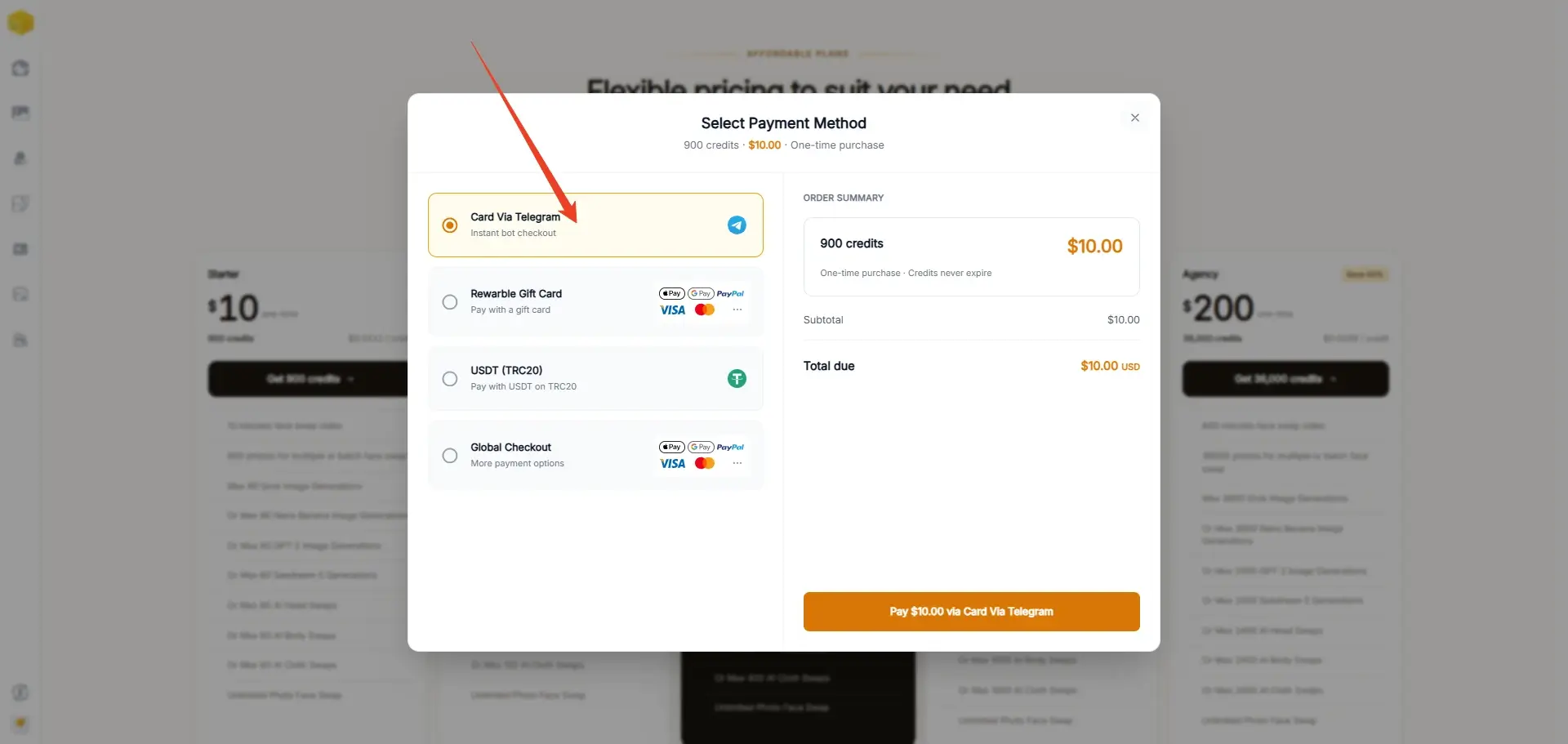
Step 1: Select Your Package

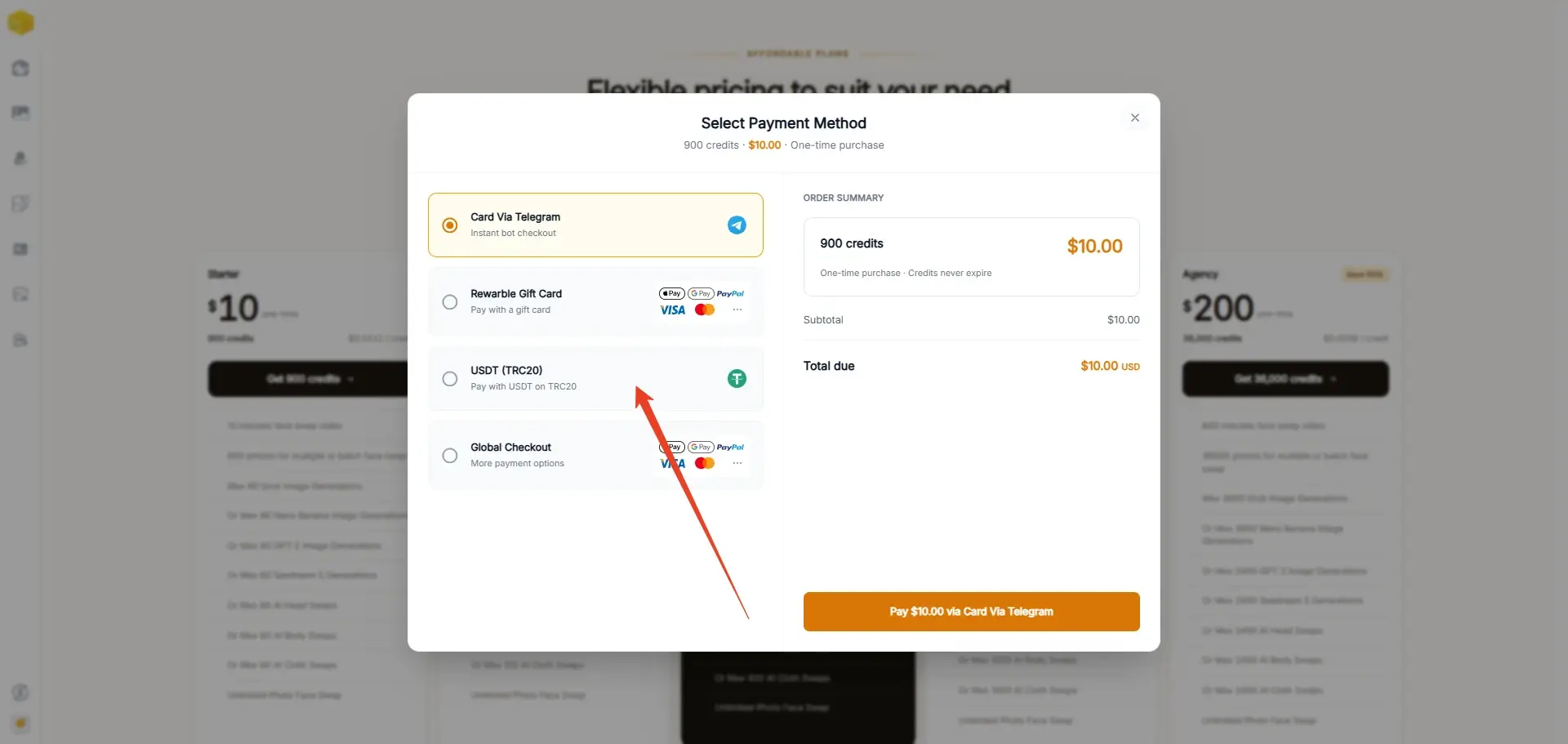
Navigate to our pricing page and select Telegram as your preferred payment method.

Choose the specific credit package you wish to purchase.

Telegram payment tutorial, screenshot 1

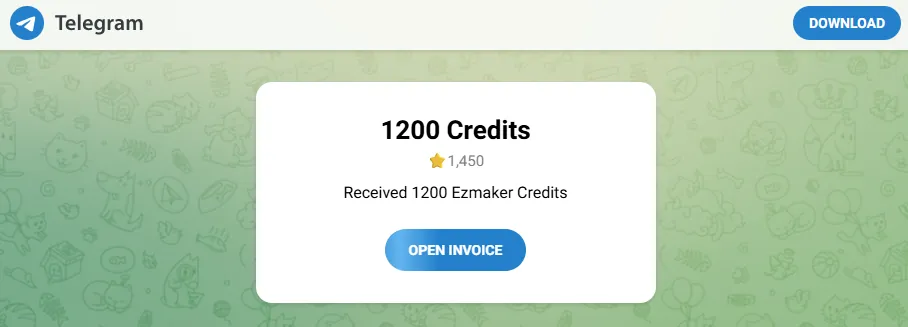
You will then see an order summary page displaying your package details and the equivalent cost in Telegram Stars. Click the "Open Invoice" button to proceed.

Telegram payment tutorial, screenshot 2

Step 2: Proceed to Telegram

After clicking the button, your Telegram application will automatically launch.

This works seamlessly on both the Telegram desktop program and the mobile app.

Note: If you do not have Telegram installed yet, please download the app and create an account first. Once you are logged in, return to our website and click "Open Invoice" again.

Step 3: Confirm the Transaction

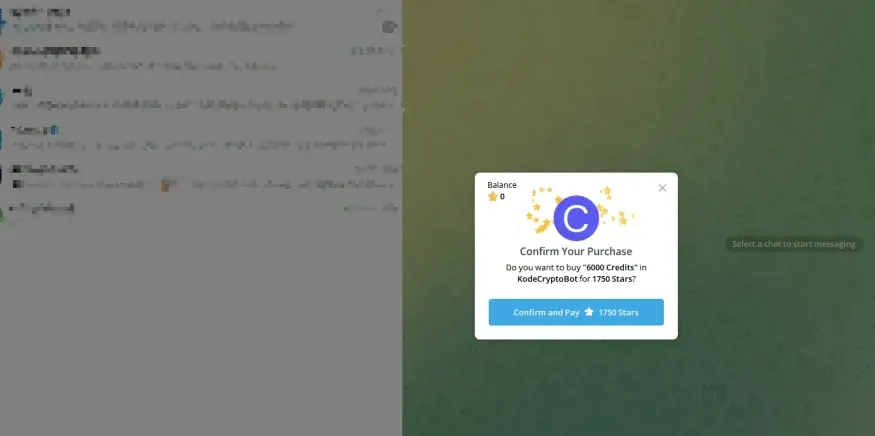
Inside Telegram, a "Confirm Your Purchase" window will pop up.

This screen details the package name and the exact number of Stars required.

Simply click the "Confirm and Pay" button to authorize the transaction.

Telegram payment tutorial, screenshot 3

Step 4: Managing Insufficient Star Balances

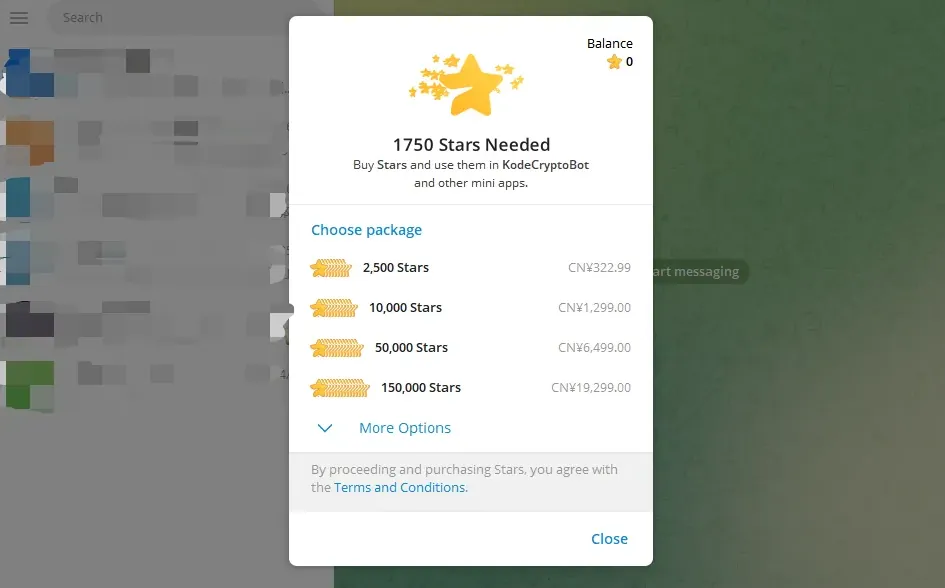
If your wallet does not have enough Stars to cover the transaction, you will need to top up:

Standard Automatic Prompt: In most cases, Telegram will automatically display a checkout window allowing you to buy more Stars. You can easily pay via Apple Pay, Google Pay, or a Credit/Debit Card.

Telegram payment tutorial, screenshot 4

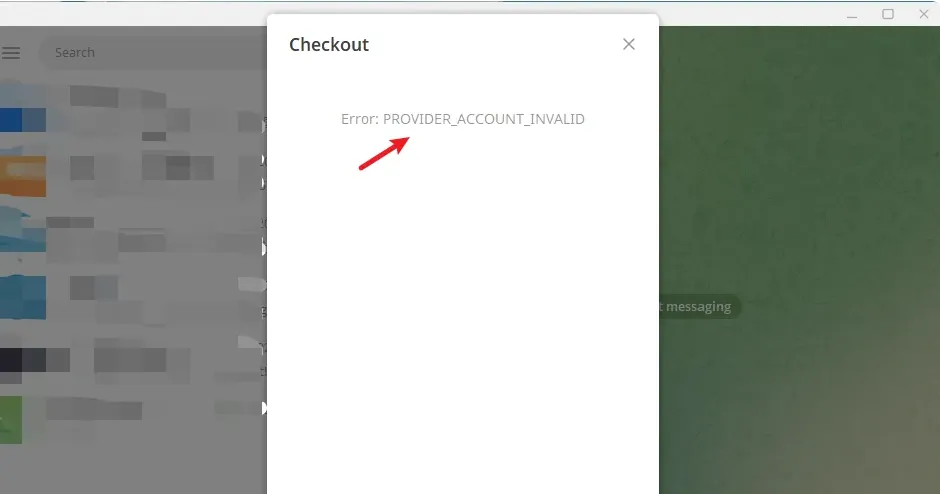
Resolving the "Invalid Account" Error: Occasionally, the checkout page might fail and display an Error: PROVIDER_ACCOUNT_INVALID message.

Telegram payment tutorial, screenshot 5

If this occurs, simply close the error box and top up your Stars manually:

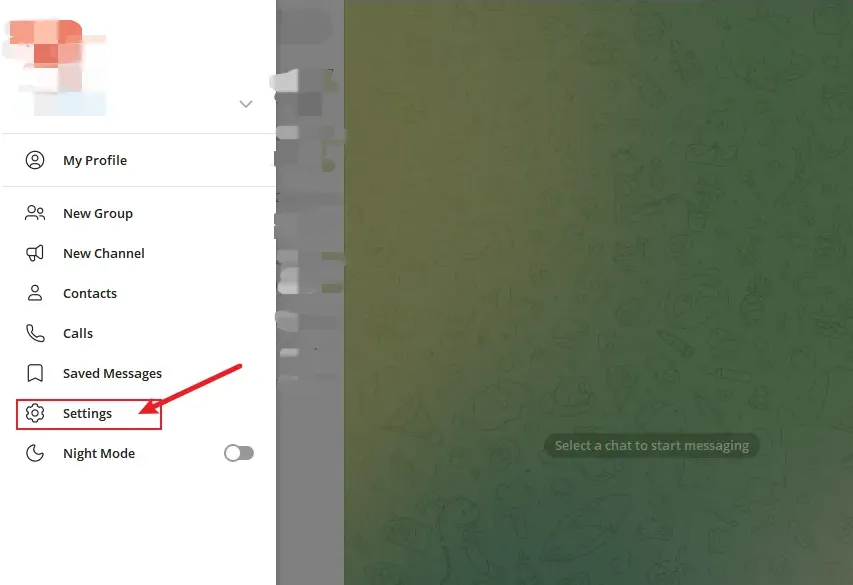
1. Open your Telegram menu and go to "Settings".

Telegram payment tutorial, screenshot 6

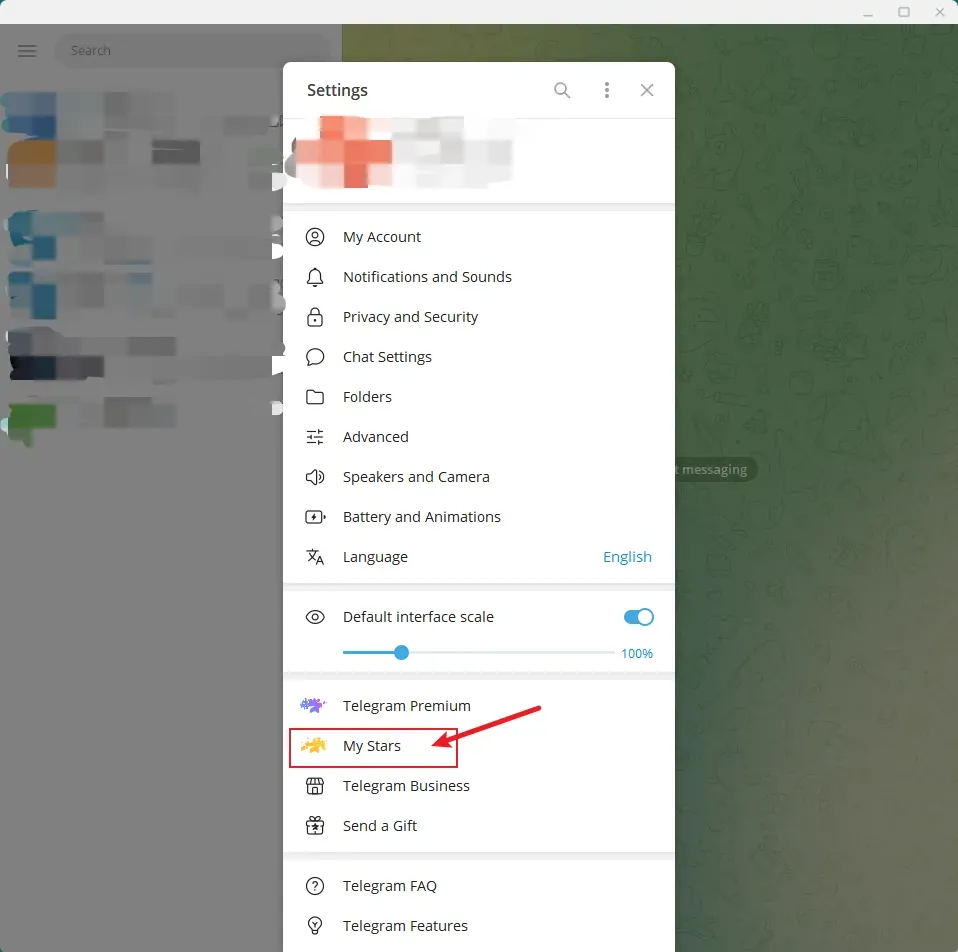
2. Select "My Stars".

Telegram payment tutorial, screenshot 7

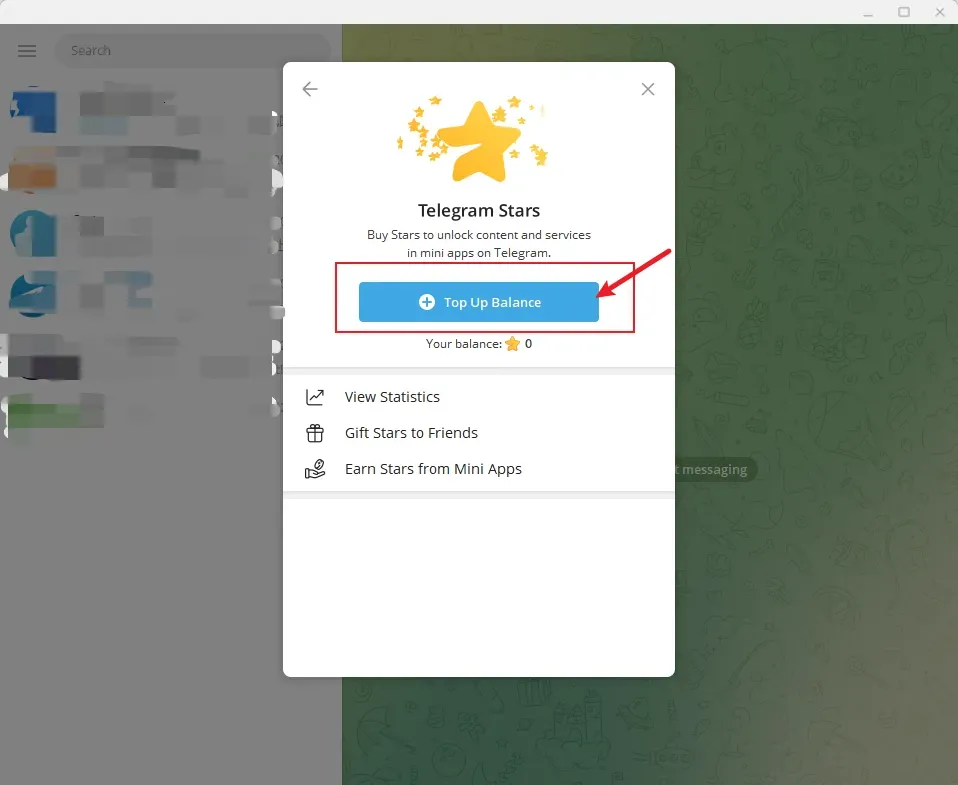
3. Click the "Top Up Balance" button.

Telegram payment tutorial, screenshot 8

4. Choose the amount of Stars you need and complete the payment.

Step 5: Finalize and Receive Your Credits

Once the transaction is authorized, the required Stars will be deducted from your Telegram balance, and your AI credits will be automatically added to your account on our platform.

You can start using your credits immediately.

Important Reminders & Troubleshooting

Secure Payments: Telegram Stars are processed securely through Telegram's official payment system. We do not store or handle your sensitive card information.

Verify Your Account: Make sure you are logged into the correct Telegram account before confirming the purchase to ensure your Stars are applied to the right profile.

Complete the Final Step: Buying Stars in Telegram is only the first step. To actually receive your AI credits, you must still complete the payment by returning to our platform's checkout page and authorizing the final transfer.

Avoid Extra Surcharges: We recommend purchasing Stars on Telegram Desktop or Telegram Web when possible. On mobile devices, buying Stars through the app may include App Store or Google Play platform fees, which do not apply on Desktop/Web.

Missing Credits? If you purchased Stars successfully but your credits were not added, please check whether you returned to our payment page and completed the final payment step.